
Editorial Disclosure: This article contains affiliate links. When you make a purchase through these links, Miralii may earn a commission at no additional cost to you.
Working on a single notebook display often leads to endless window switching, cluttered virtual desktops, and split-second delays that interrupt deep focus. Investing in a Cevaton laptop screen extender provides an immediate hardware solution by multiplying screen area without tethering you to a stationary office desk. Whether you manage financial spreadsheets, code across multiple environments, or handle remote client communications, expanding your visual real estate transforms how smoothly your daily tasks flow.
Understanding how different multi-display formats behave in portable settings helps narrow down the hardware choices. The modern catalog of tech and software solutions focuses heavily on mobility, offering options from single portable panels to dual and wrap-around triple display assemblies.
Evaluating Dual Versus Triple Screen Layouts
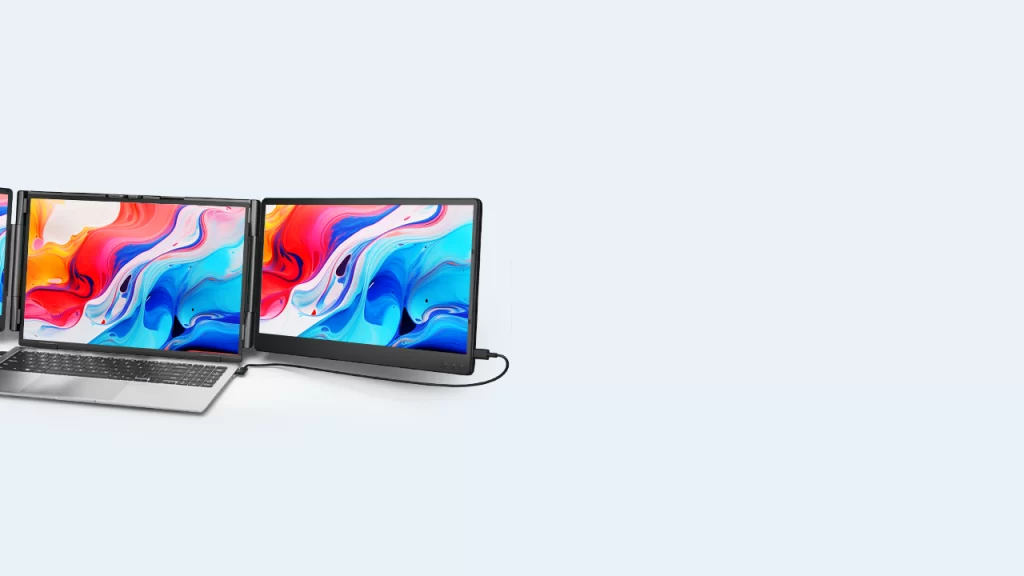
Choosing the correct display configuration starts with assessing how much visual space you genuinely use during demanding tasks. A triple screen laptop extender surrounds your primary notebook screen with two auxiliary panels, such as those found on the Cevaton T2 Pro, S6, and Z2 models. This architecture lets you keep communication tools like chat and email on one side, reference documentation on the other, and active creative or analytical tools right in the center.
For users who prefer a streamlined profile, a portable dual monitor design like the Cevaton P5 or S8 adds a single companion display. Dual configurations are lighter to transport and faster to deploy on small coffee shop counters or narrow conference tables while still cutting down window toggling significantly. Readers looking to expand their workflow can review available models directly through the Cevaton monitor collection to see which physical structure fits their routine.
Key Hardware Features to Scrutinize
When selecting a portable display, screen clarity and cable logistics determine everyday convenience. Cevaton designs several units with 15.6-inch Full HD resolution panels that ensure crisp typography and accurate presentation of charts, interfaces, and video streams. High-definition output ensures that smaller text remains legible without straining your eyes during extended sessions.
Another vital factor is connection efficiency. Modern displays like the S6 and T2 Pro highlight universal one-cable connectivity, allowing data and power transmission over a single streamlined connection without carrying bulky adapters. Furthermore, consider mechanical features such as 360-degree rotation on models like the Z2 or modular magnetic attachments on the S6, which let you adjust viewing angles to reduce glare and accommodate tight seating.
Device versatility also extends beyond standard work laptops. Units like the P4 gaming monitor and P5 dual display offer broad compatibility with mobile phones and gaming consoles, making them adaptable across both business trips and off-hours entertainment. You can check current device configurations and specs through the Cevaton hardware catalog.
Matching the Display to Your Mobile Workflow
To pinpoint the ideal model, reflect on where and how you typically operate:
- Frequent Business Travelers: Lightweight units with streamlined cable management like the N3 or S6 modular design keep your briefcase light and assemble rapidly in airport lounges.
- Data Analysts and Developers: The broad span of the T2 Pro or Z2 triple monitors provides uninterrupted space for syntax editing, testing, and real-time output monitoring.
- Hybrid and Creative Workers: The versatile P5 dual screen balances screen real estate with effortless portability between home workstations and client offices.
Final Considerations for Your Setup
Selecting the right Cevaton laptop screen extender comes down to matching your typical task complexity with your tolerance for travel bulk. Triple panels unlock executive multitasking on the go, while dual and standalone portable panels prioritize speed and lightweight mobility. Backed by straightforward connectivity and durable construction, expanding your notebook display creates an adaptable workstation that supports productivity wherever your schedule takes you.